📍 See us at Wind Europe 2026 — Stand: 9-D46
Platform

Collabaro Desk — The command centre

The web application built for project managers who need complete visibility across every wind service project, from timesheets to compliance reports.

Dashboard

Project Dashboard

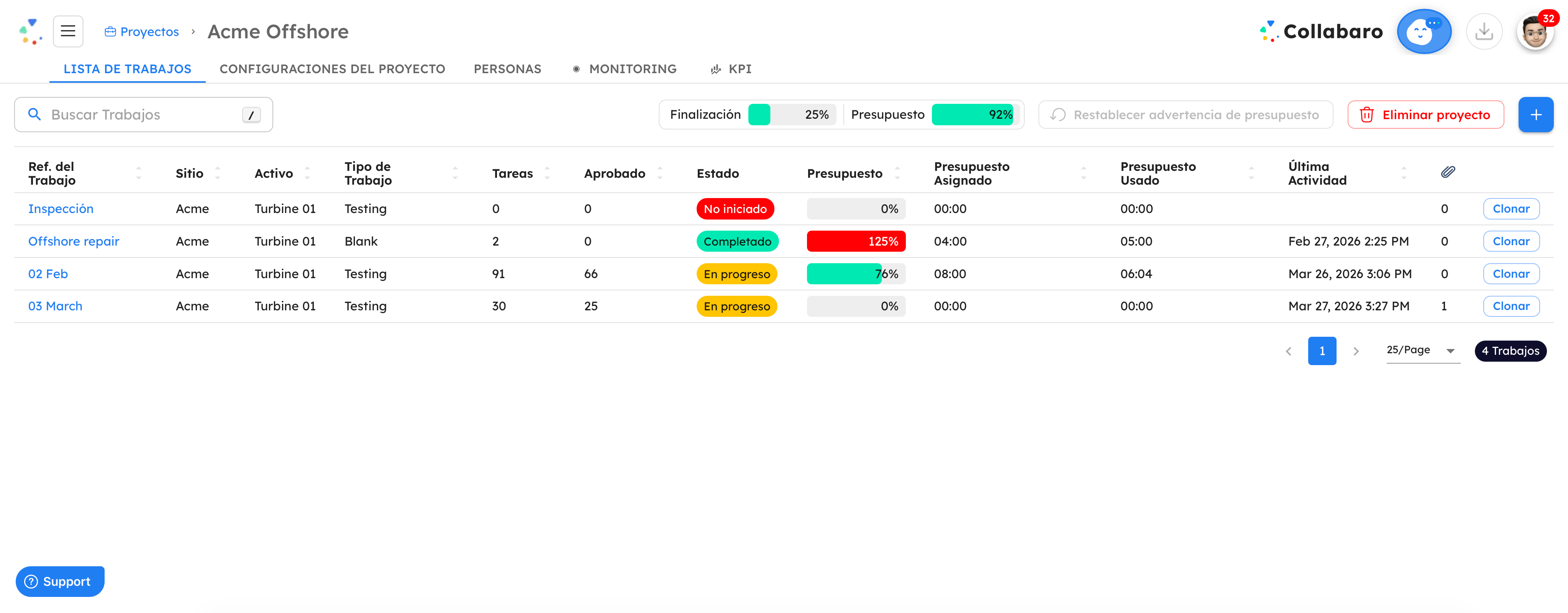
Get a bird's-eye view of every active project. Track progress, monitor budgets, and spot issues before they escalate — all from a single screen.

  • Real-time project status and progress tracking
  • Project and Job progress
  • Realtime visibility of Job Status & Approval
  • Realtime Web & Email alert notifications
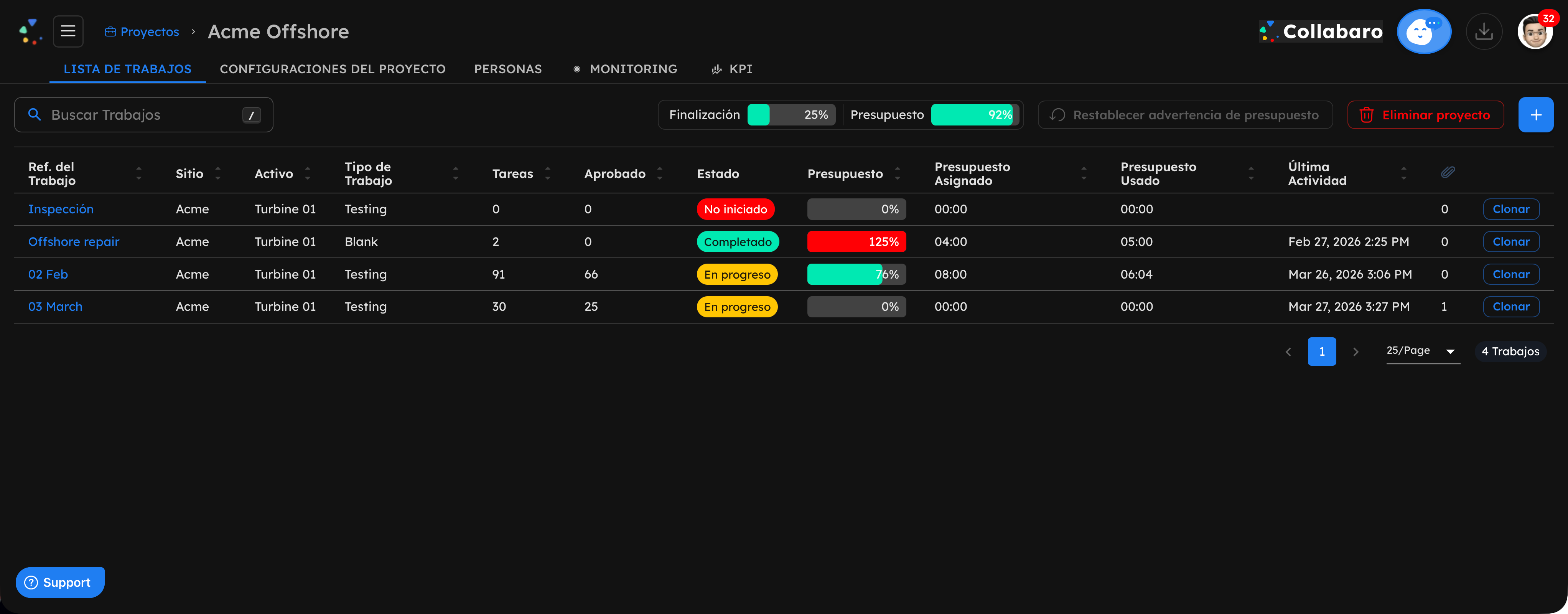
Collabaro Desk jobs list displayed in Spanish — light mode Collabaro Desk jobs list displayed in Spanish — dark mode

Every project, every job, at a glance

See completion percentage, budget utilisation, and job status across your entire active project portfolio — updated in real time as technicians work in the field.

No spreadsheets. No chasing. Just visibility.

Activity

Activity Review & Approval

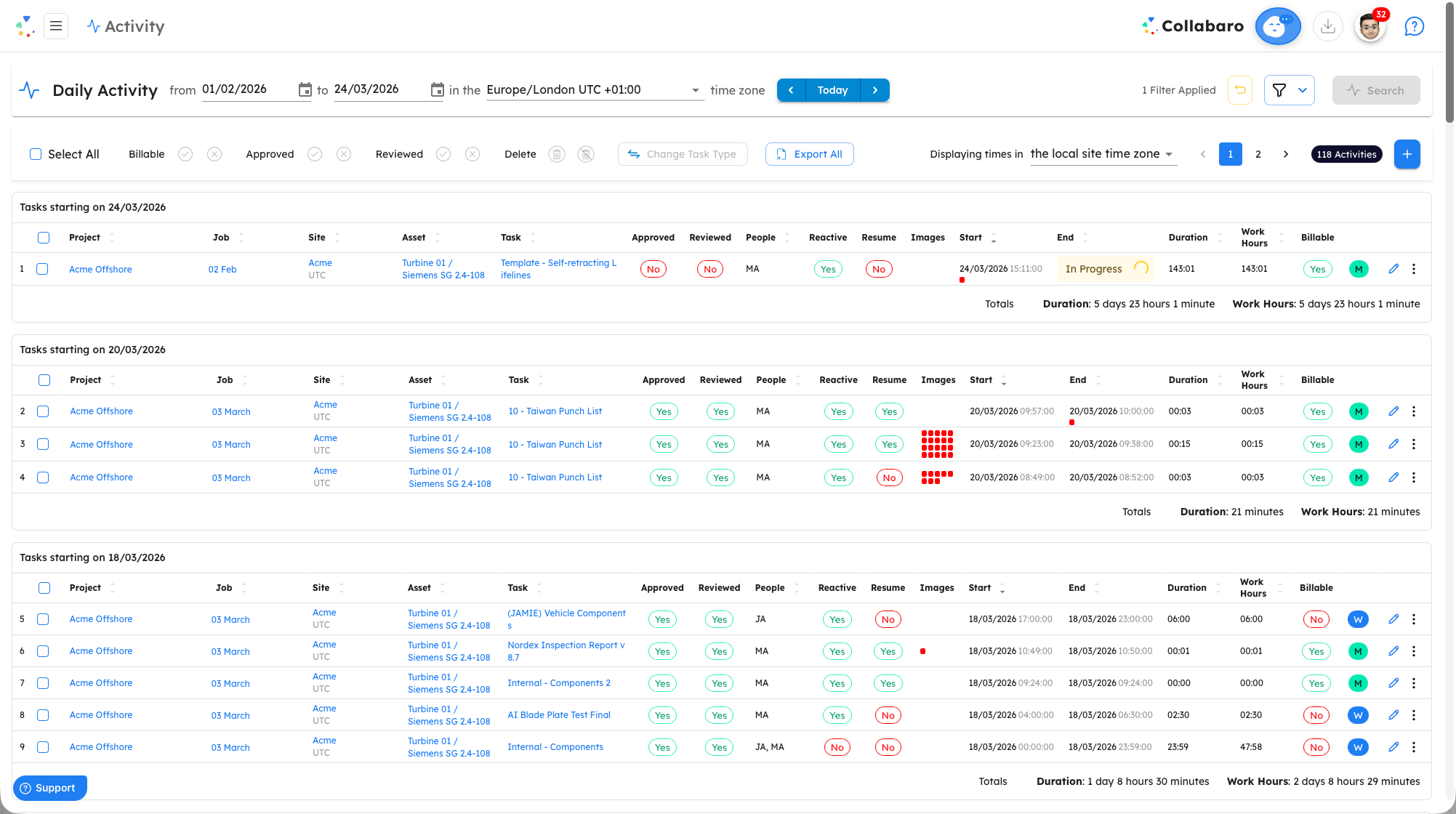
Review activity submitted from the field. Approve, query, or reject entries with a single click. No more chasing paper forms.

  • GPS-stamped Start and Finish verification
  • Batch approval workflows for faster processing
  • Review billable and non-billable work as well as total work hours
  • Full audit trail for every approval decision
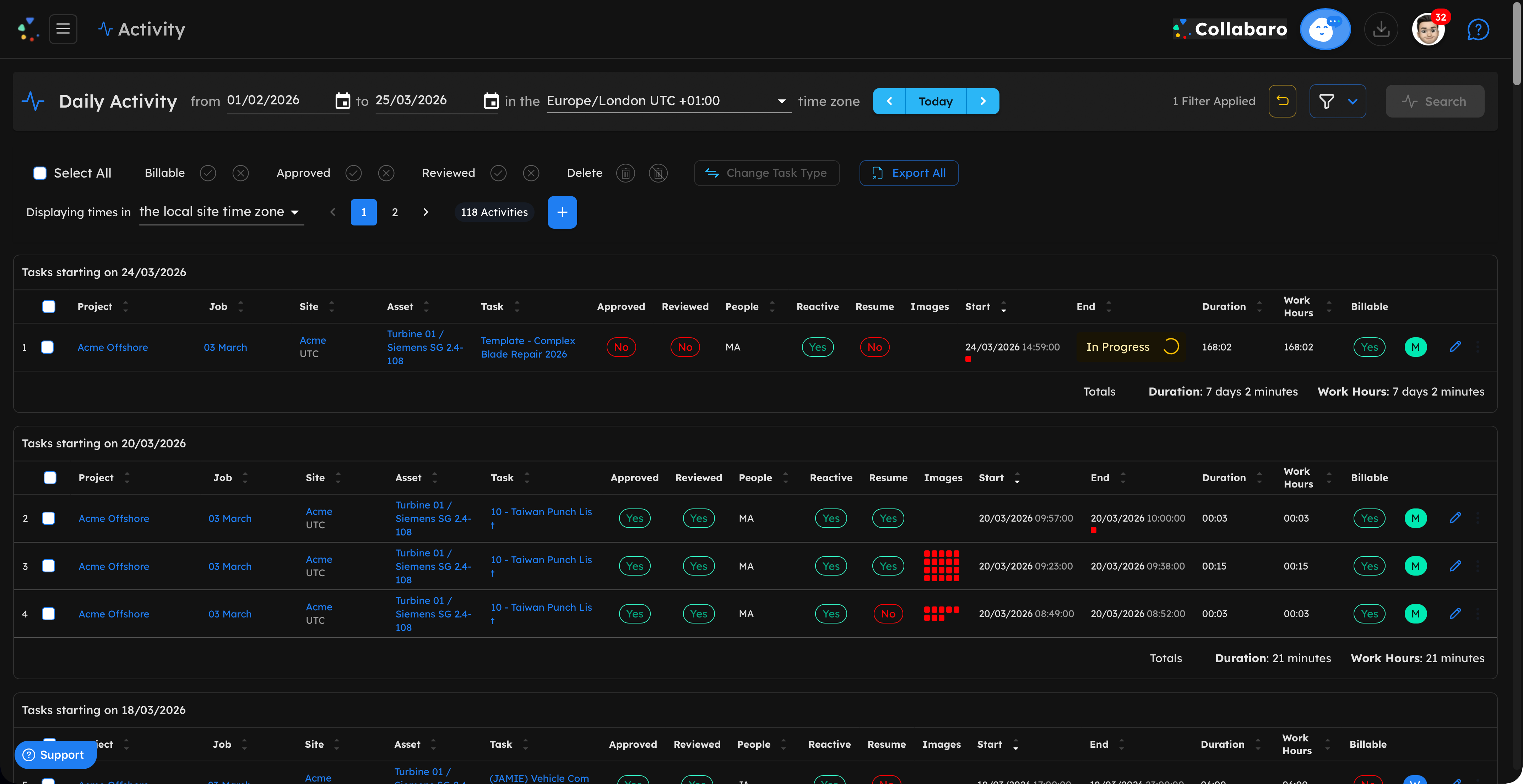
Collabaro Desk activity review interface showing GPS-verified field entries — light mode Collabaro Desk activity review interface showing GPS-verified field entries — dark mode

Every hour accounted for, every approval traceable

GPS-verified activity flows directly from the field into your review queue — billable, non-billable, and total hours broken out clearly for fast, confident approval.

No paper forms. No chasing. Full audit trail.

Timesheets

Timesheets

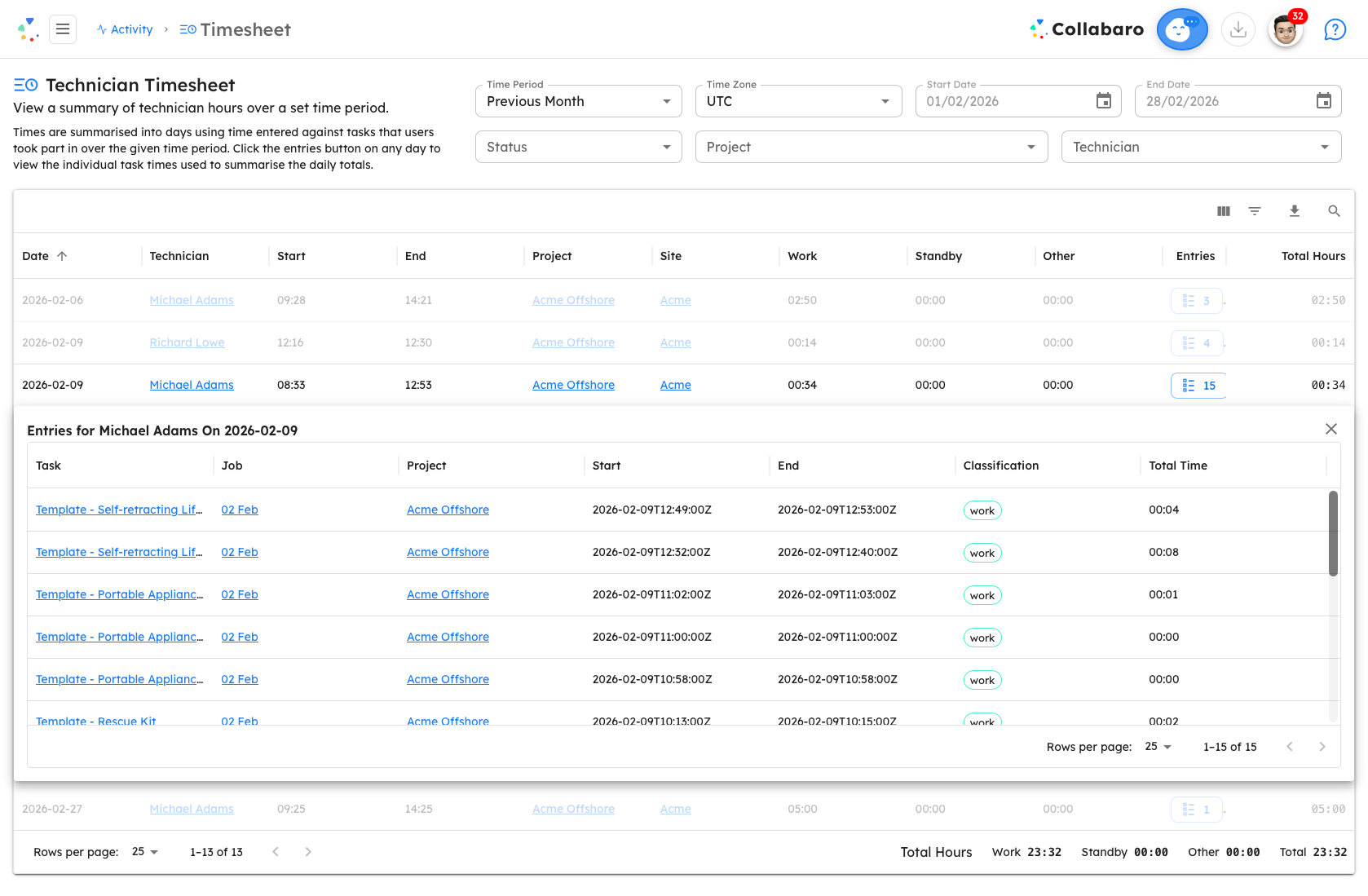
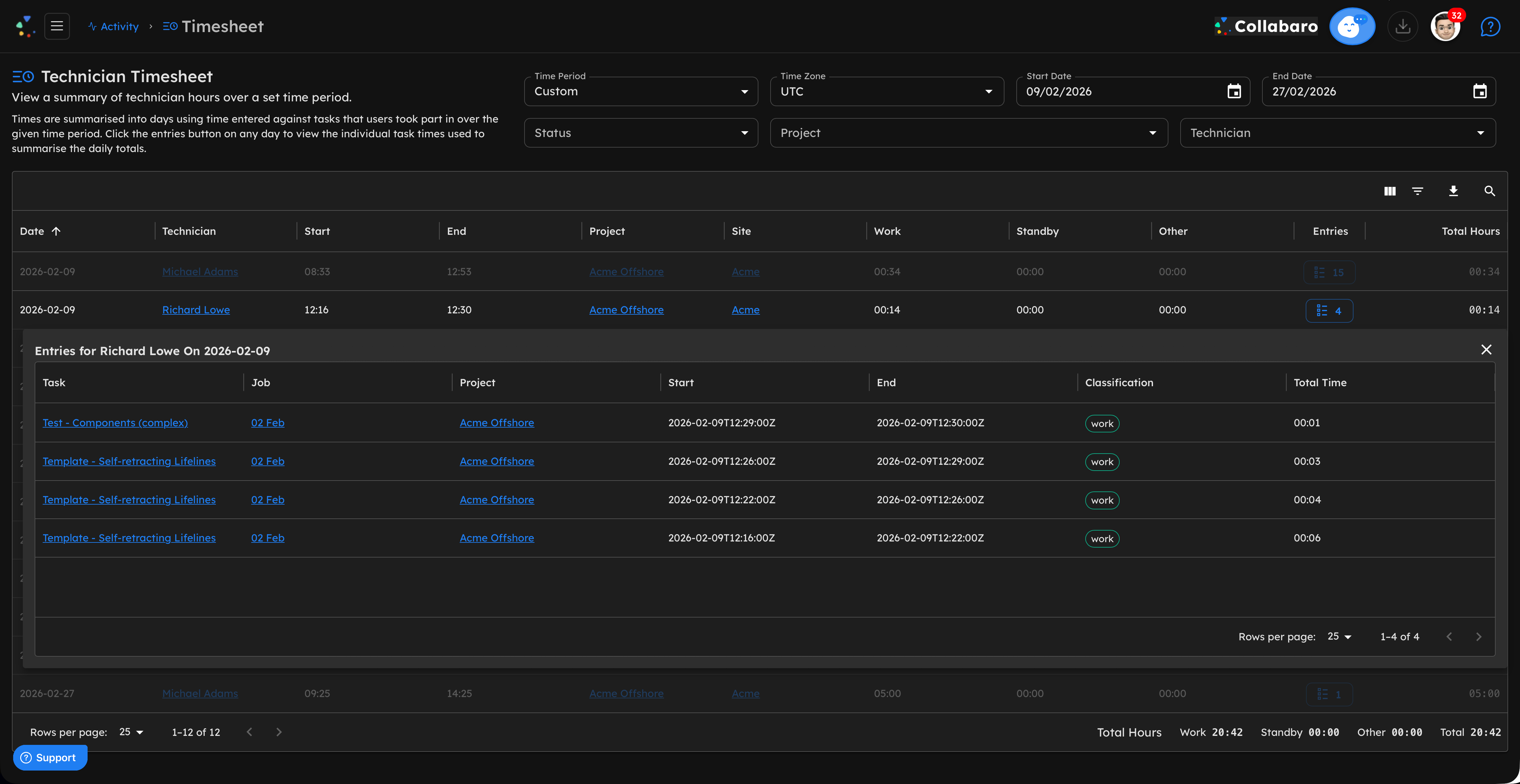
Get an overview of timesheet data by date, project and technician. Filter timesheets and drill down to see more detail. Classify tasks as Work or Standby tasks, and get a breakdown of total time spent on these.

  • Filter data across dates, projects and technicians
  • View time spent on Work tasks and Standby tasks
  • Click through to view details of the Project, Job, Task, Site or Technician
  • Print or export data as a CSV file for downstream processes
Collabaro Desk Timesheet overview with Work and Standby breakdown — light mode Collabaro Desk Timesheet overview with Work and Standby breakdown — dark mode

Filter, drill down, and export timesheet data

View timesheet data across dates, projects and technicians. Break down Work and Standby time, then print or export to CSV for payroll and billing.

Complete visibility. No manual collation.

Performance

KPIs

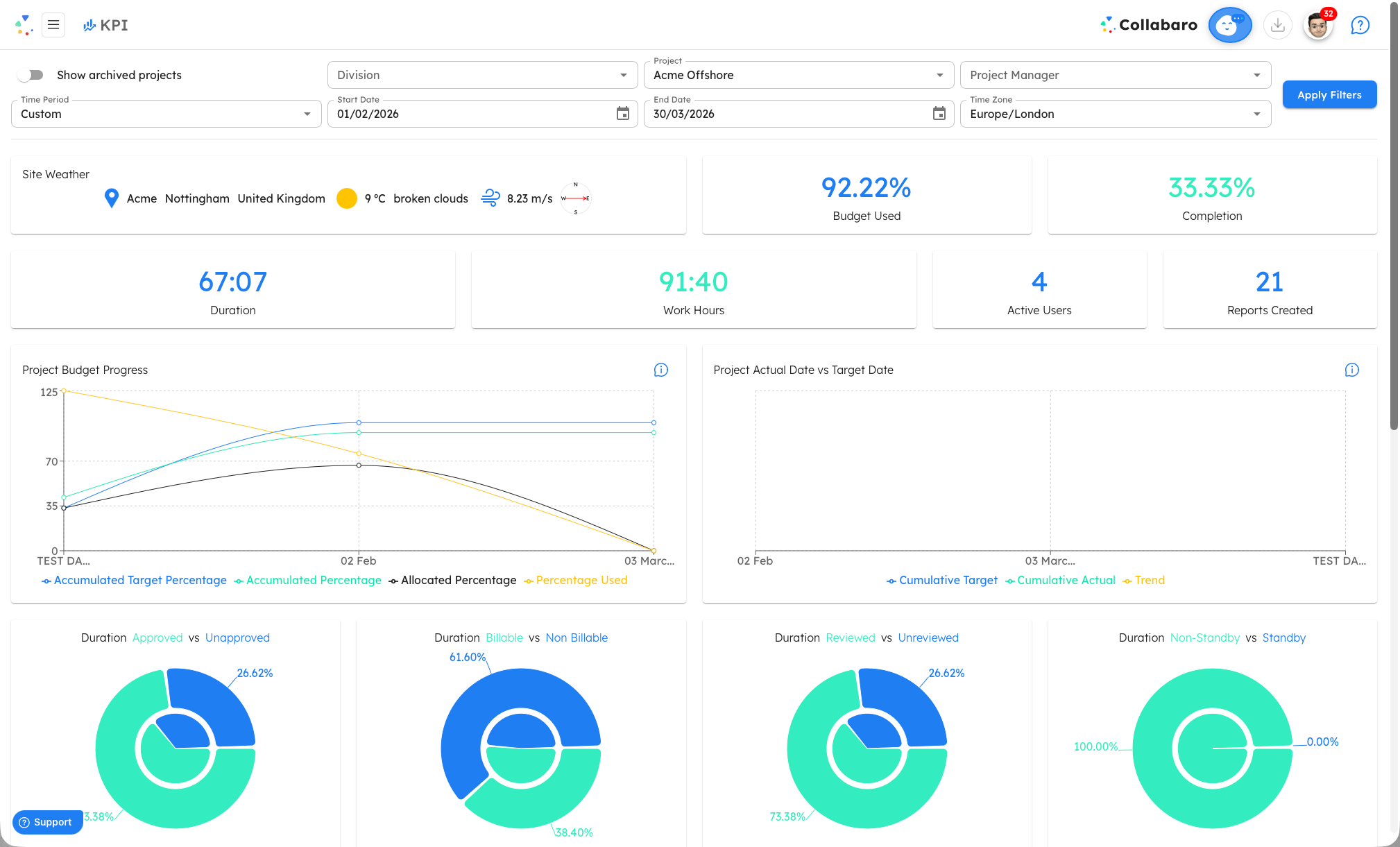
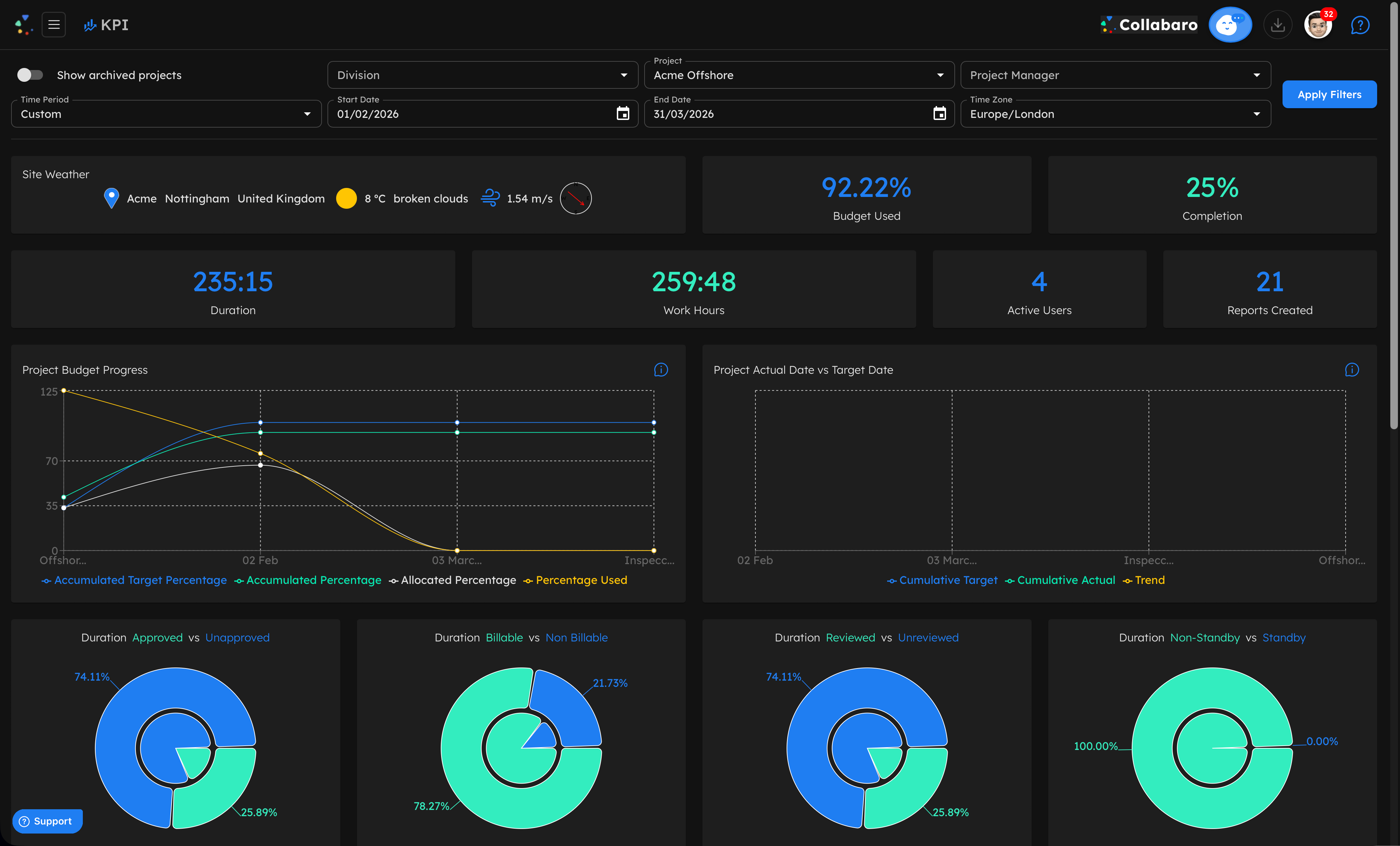
A real-time analytics hub built into Collabaro Desk. See total work hours, active users, and reports created across any time period — from today through to year-to-date or fully custom date ranges. Understand exactly how time is being spent across your projects.

  • Approved vs Unapproved, Billable vs Non-Billable, Reviewed vs Unreviewed — each visualised as intuitive donut charts
  • Time-series tracking of active users per day and reports created over time
  • Hours broken down by Task Category and Job Category
  • Filter by division, project, project manager, time zone, and date range
Collabaro Desk KPI dashboard with donut charts and time-series breakdowns — light mode Collabaro Desk KPI dashboard with donut charts and time-series breakdowns — dark mode

A clear, filterable window into your entire operation

Drill into the performance of any team, region, or individual. Slice data by division, project, or project manager to see exactly where time is going and where it isn't.

Visibility drives accountability.

Reporting

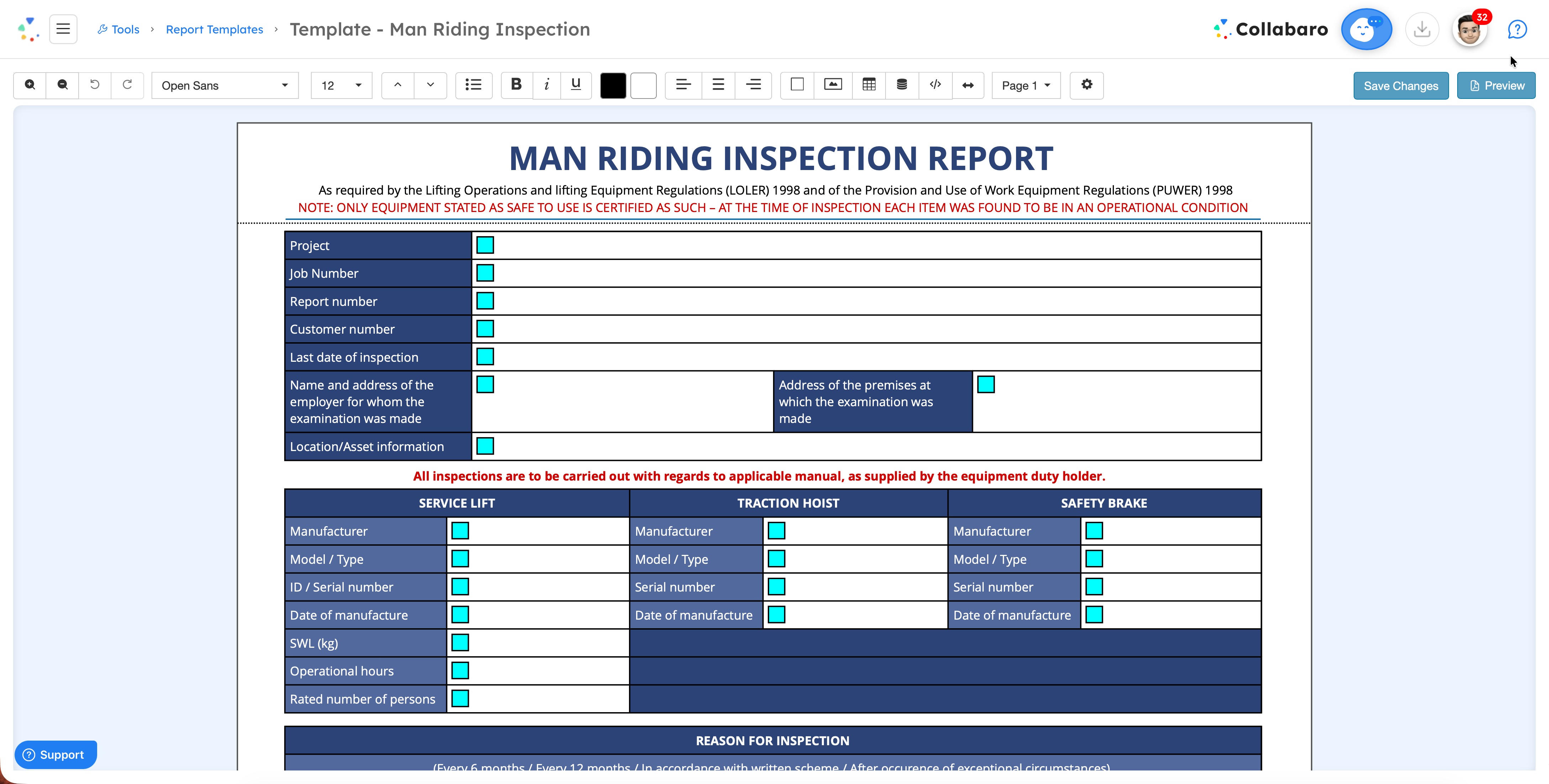
Report Designer

Build client-ready reports in minutes, not hours. Create custom layouts, embed data fields, add photographic evidence, and export branded PDFs that meet compliance standards.

  • Powerful WYSIWYG report builder with templates
  • Auto-populated data from field submissions
  • Embed photographic evidence and signatures
  • Export to PDF, Word, or share via email
Collabaro Desk report designer showing a Man Riding Inspection Report template with LOLER compliance fields and drag-and-drop layout

Compliance reports built in minutes

Design inspection and certification reports that meet client-specific standards. Data fields auto-populate from field submissions — no copy-pasting required.

Professional, client-ready PDFs every time.

Task Design

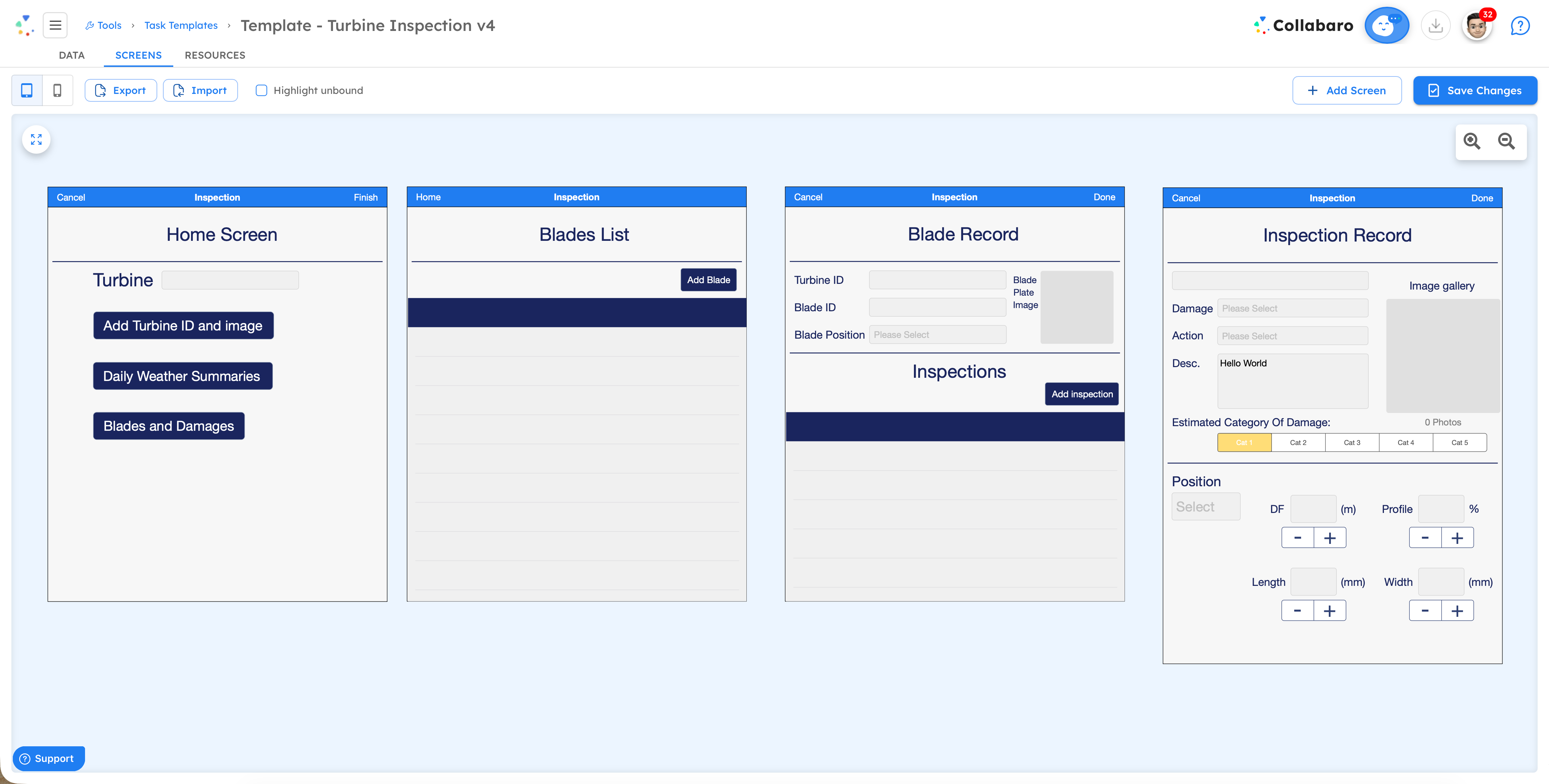
Task Designer

Build pixel-perfect inspection screens using a drag-and-drop WYSIWYG editor. Capture facts, photos and signatures, then push real-time screen edits to your field technicians via Collabaro Field.

  • Drag and drop components onto a canvas — no developer required
  • Configurable mandatory fields and dependencies ensure compliance
  • Create and edit screens in minutes, deployed to technicians in real time
  • Pre-work inspections, damage repair tasks and more, with client signatures built in
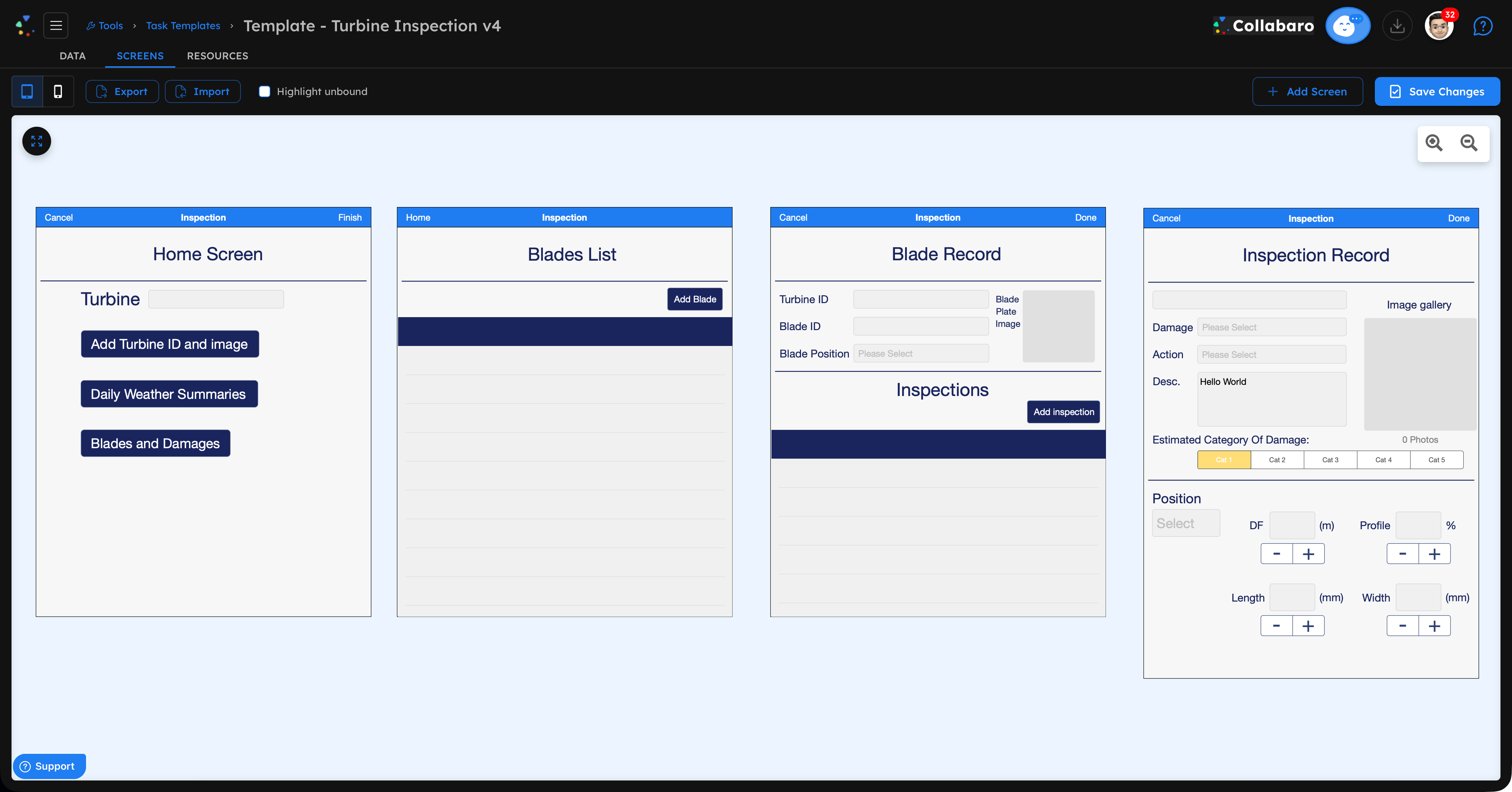
Collabaro Desk Task Designer WYSIWYG editor — light mode Collabaro Desk Task Designer WYSIWYG editor — dark mode

Drag, drop, deploy — no code required

Design custom inspection screens with mandatory fields, conditional dependencies, and signature capture. Edit and push changes to your field team in real time.

Creative freedom. Guaranteed compliance.

Workflows

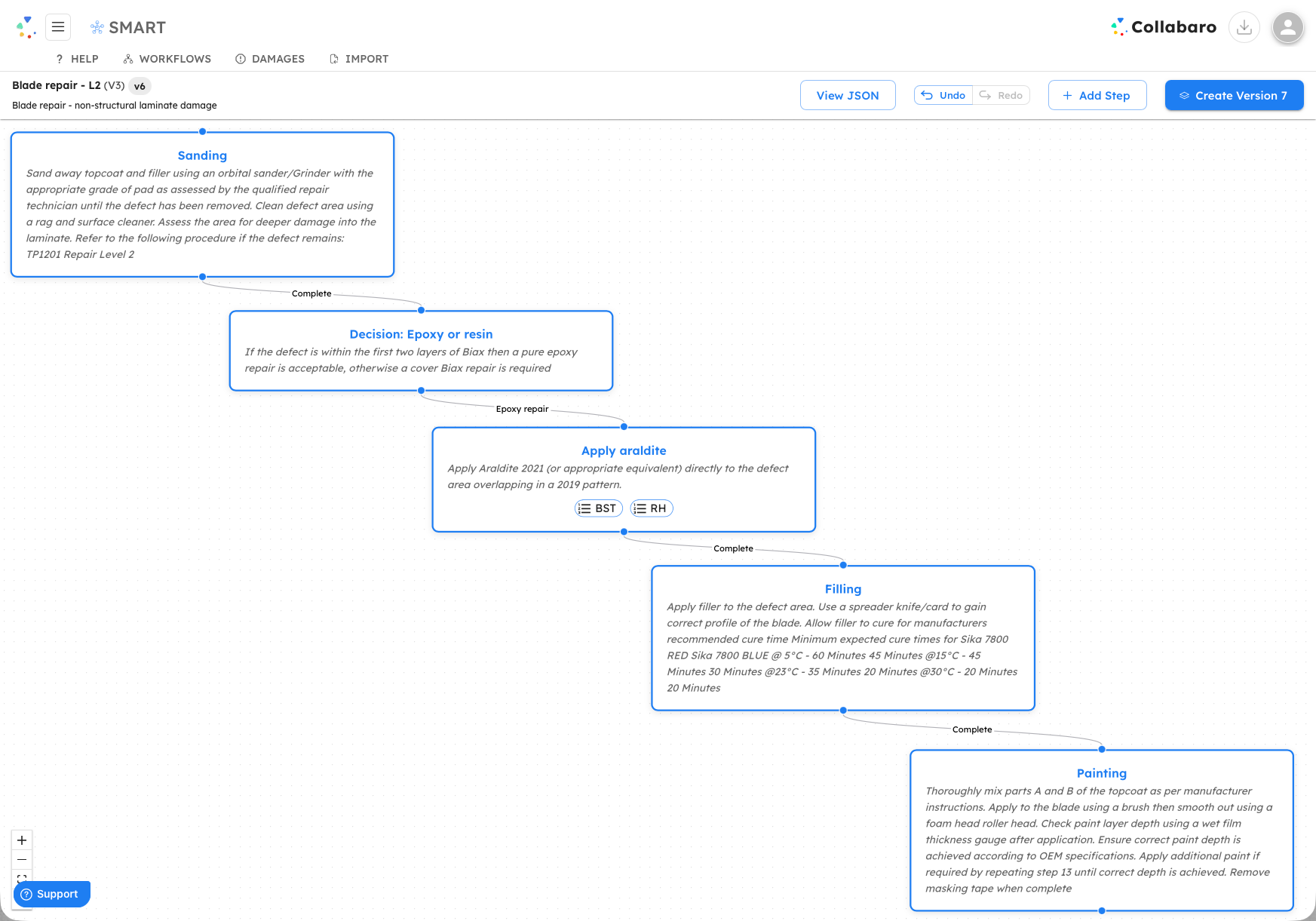
Workflow Designer

Design complex workflows that mirror your client’s work instructions and worksteps — whether for Vestas, Siemens Gamesa, GE Vernova, Nordex, or Enercon turbines — enabling you to enforce compliance at every stage of the repair process. Each workflow defines exactly what data must be captured, in what order, and by whom.

  • Multi-step task sequences with conditional branching
  • Mirror client work instructions and worksteps exactly
  • Mandatory fields and sign-offs enforce compliance
  • Automatic escalation when issues are flagged
Collabaro Desk Workflow Designer showing a multi-step workflow with conditional branching and mandatory sign-off points

Mirror your client's work instructions exactly

Define multi-step workflows with conditional branching, mandatory fields, and sign-off points that enforce compliance at every stage of the repair process.

Every step controlled. Every sign-off captured.

Financials

Cost Management

Link project budgets directly to technician activity for reliable, real-time visibility into how incurred costs are tracking against expected costs for the percentage of a campaign currently completed.

  • Budget-to-actual tracking tied to live field activity
  • Recognise increases in work in progress more frequently
  • Improve board-level reporting and cashflow forecast confidence
  • Control at campaign scale — across projects, sites, and teams
Cost Management screenshot coming soon

See Collabaro Desk in action

Book a personalised demo and discover how Desk gives project managers complete operational control.